Bikes Snowmobiles and water scooters

    COMMANDER FOR BIKE , SNOWMOBILES AND WATER -SCOOTERS V1.0 

    J99CAVSH37TCAMZUWBSCA52DGDCCAPWSYJ2CAMKW6KUCAUTCJMKCAV9G9HZC kawasaki piaggio

     The Commander for Bike, Snowmobiles and Water scooters is software intended for standard diagnostics and for few models the key programming

    Standard diagnostic functions:

    • For all electronic control units reading identification data
    • For all electronic control units read/clear fault codes (DTCs)
    • Device scan
    • Data Display / Measured values

    Special functions:

    • Key programming


    The key programming function currently works for BMW bikes.

    for diagnostics:

    • Aprilia - Arrecife 500, Atlantic 500, Atlantic Sprint 400, Atlantic Sprint 500, Scarabeo 400, Scarabeo 500
    • Bmw - R1200GS HP2 MegaMoto (2007+), R1200GS HP2 Enduro (2006-2008), R1200GS Adventure (2006+), R1200GS (2004+), R1200R (2006+), R1200RT (2005+), R1200S HP2 (2007+), R1200S (2006+), R1200ST (2005+), R1200C (1998-2006), R1200CL                  (2002-2006), R1150GS Adventure 2 spark (2003-2006), R1150GS Adventure (2002-2003), R1150GS 2 spark (2003-2006), R1150GS (2000-2003), R1150R 2 spark (2003-2007), R1150R (2001-2003), R1150RT 2 spark (2003-2008), R1150RT (2001-2003), 
      R1150RS 2 spark (2003-2006), R1150RS  (2001-2003), R1100S 2 spark (2003-2006), R1100S (1998-2003), R850R 2 spark (2003-2008),
      R850R (2002-2003), R850RT 2 spark (2003-2008), R850RT (2001-2008), R850C (1999-2004), F800GS (2007+), F800R (2007+), F800ST (2006+), F800S (2006+), F650GS 800cc (2007+), F650GS Dakar 2 spark (2004-2008), F650GS Dakar (2000-2004), F650GS 2 spark            (2004-2008), F650GS (2000-2004), F650CS 2 spark (2004-2006), F650CS (2000-2004), K1300GT (2008+), K1300R (2008+), K1300S (2008+), K1200GT (2006+), K1200GT (non-CAN)(2003-2005), K1200LT (1999-2008), K1200R Sport (2006+), K1200R (2005+), K1200RS (1997-2008), K1200S (2004+), G650GS (2008+), G650 Xchallenge (2007+), G650 Xmoto (2007+), G650 Xcountry (2007+), G450X (2008+), C1-200 (2001-2006), C1-125 (2000-2006), S1000RR (2010+)
    • Kawasaki - BJ250 Estrella, Concours, ER-6f '06, ER-6f '08, ER-6n '06, ER-6n '08, Epsilon 250, GTR 1400, KSF450-B, KX 450 F, LX250, Ninja, ZX-10R '04, Ninja ZX-10R '06, Ninja ZX-10R '08, Ninja ZX-12R '00, Ninja ZX-12R '04, Ninja ZX-14R '06, Ninja ZX-14R '08, Ninja ZX-6R  '03, Ninja ZX-6R  '05, Ninja ZX-6R  '08, Ninja ZX-6R  '09, Ninja ZX-6RR '03, Ninja ZX-6RR '05, VN 1500 Mean Streak, VN 1500 Vulcan, VN 1600 Classic. VN 1600 Mean Streak, VN 2000, VN 900 Classic '06, VN 900 Classic '08, Versys, Z1000 '03, Z1000 '07, Z750  '04, Z750  '08, Z750S '04, ZZR 1400 '06, ZZR 1400 '07

    Piaggio - Beverly 400, Beverly 500, X8 400, X9 500

    Prices of the special functions: 


    BK002 - Diagnostics, key programming BMW bikes - 480 euro


    FULL VERSION - all special functions - 480 euro

    Note: Ordering for the special functions is possible only if you have our diagnostic interface AVDI  --  PRICE 700 EUR 


    mercedes nec key programmer zn002

            NEC KEY PROGRAMMER ZN002

         ZN002  

                                            NEC PROGRAMMER 

    NEC PROGRAMER

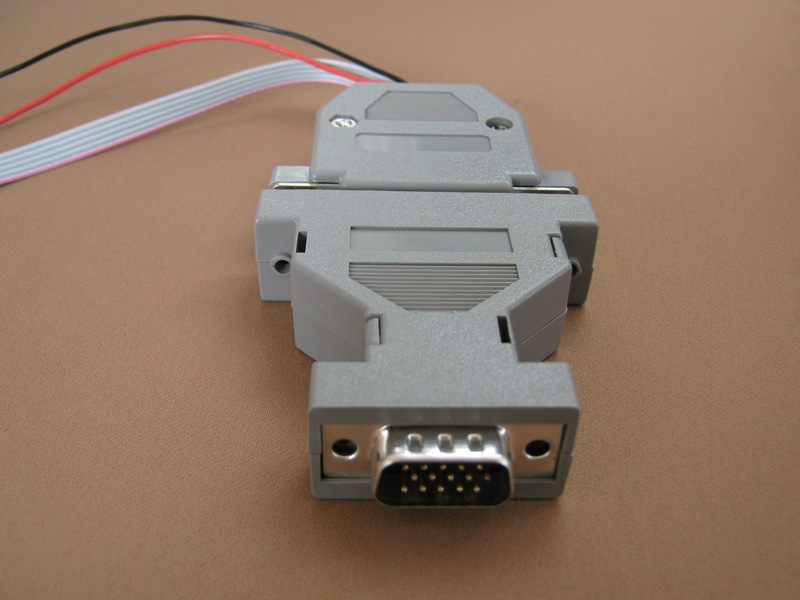
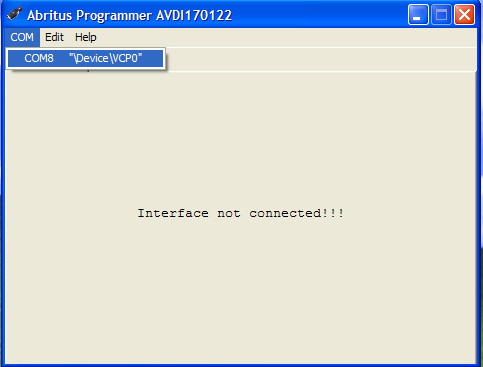
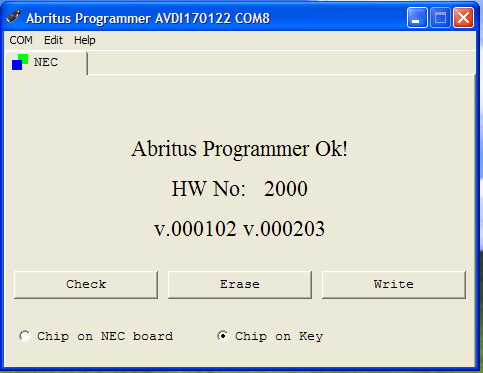
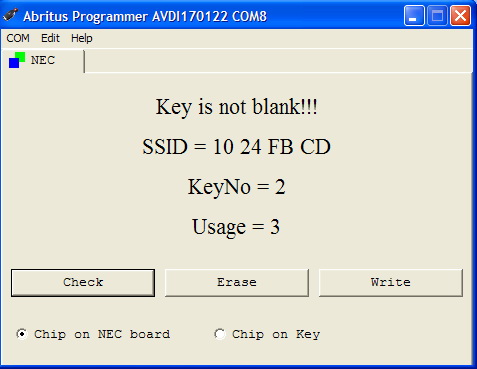
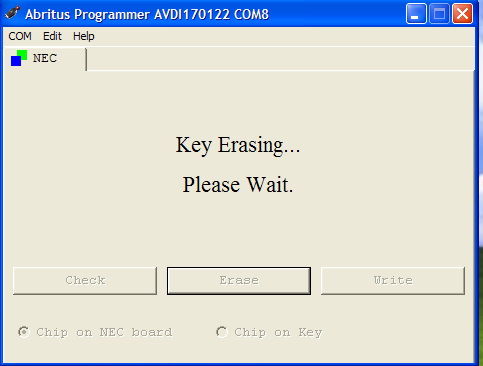
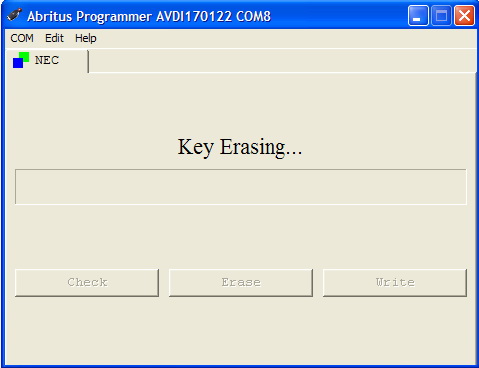
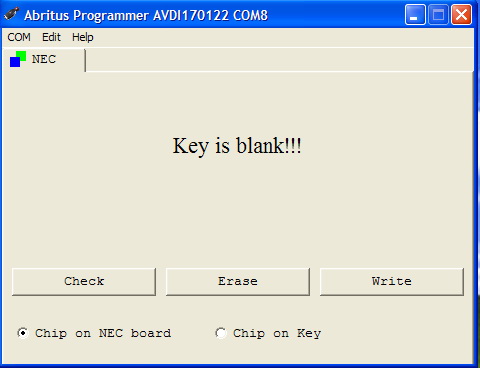
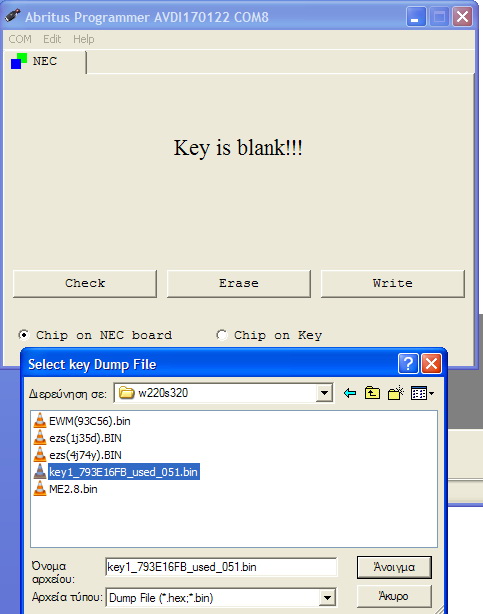
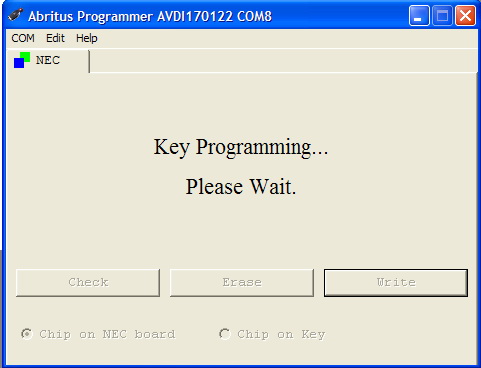
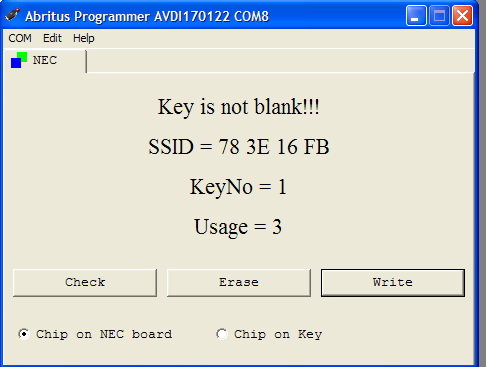
    This programmer works with the AVDI interface. With this programmer you can read the SSID of the key, erase the NEC chip and then program it again.

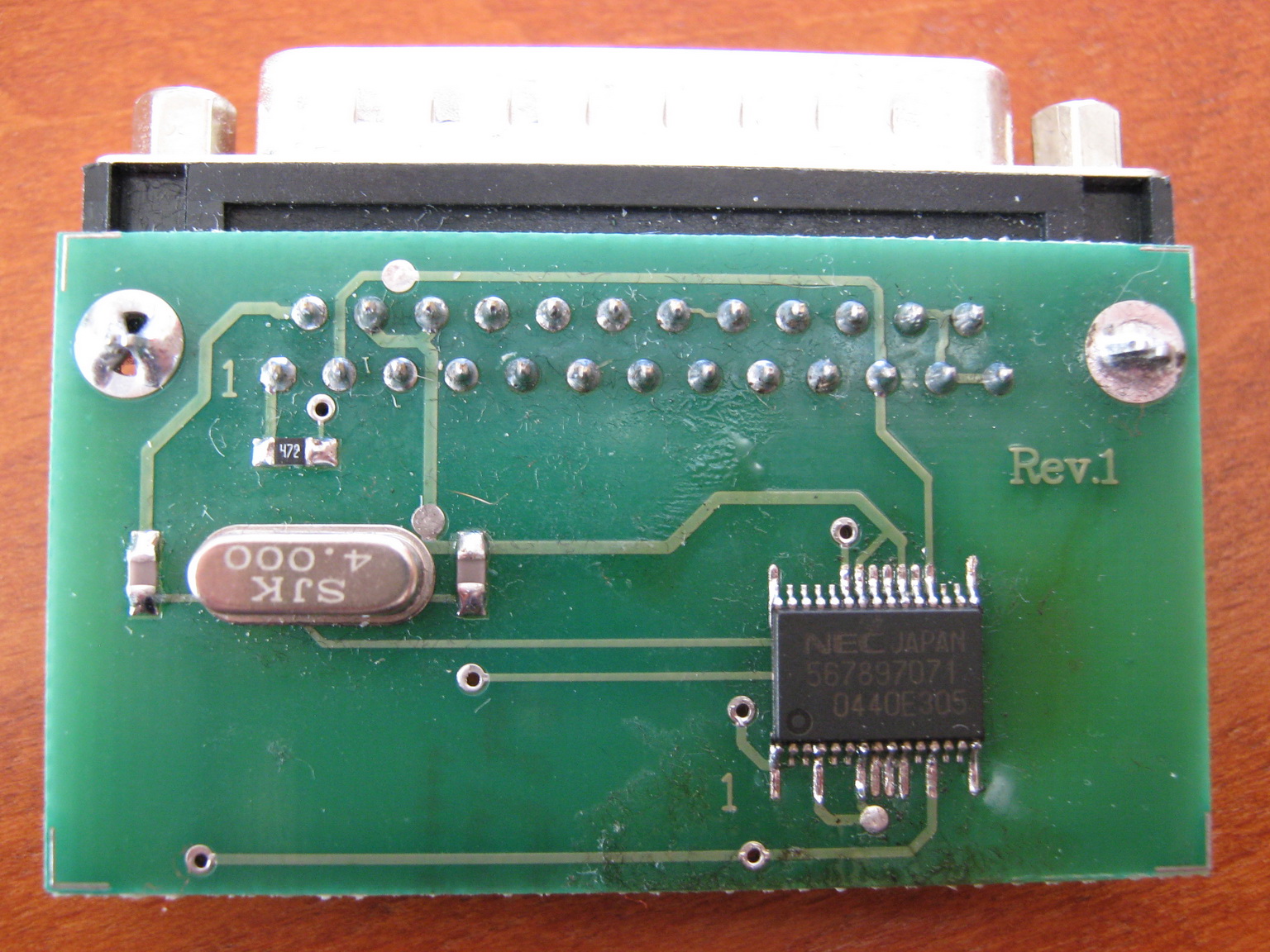
    All existing customers should have received a NEC board, on which to solder the NEC chip. For all existing customers - if you send to info@keyprogtools.com the dump from the EZS we will send you back a working key dump and you will not need to worry about virginizing ECU, 7GTronic and so on.

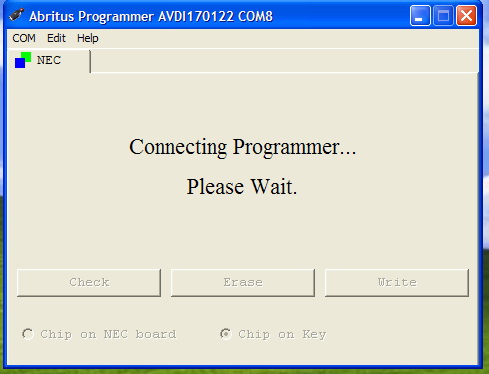
    The NEC chip should be soldered on the NEC PCB, which is provided by keyprogtools . Here is how the programming procedure looks like:

    NEC FIRST STEP

    NEC STEP 2

    NEC STEP 3 - Copy

    NEC STEP 4

    NEC STEP 5

    NEC STEP 6

    NEC STEP 7

    NEC STEP 8

    NEC STEP 9

    NEC STEP 10


    Mercedes 7G


    722.9 Electronic Transmission Control Unit and Intelligent Servo Module Renew

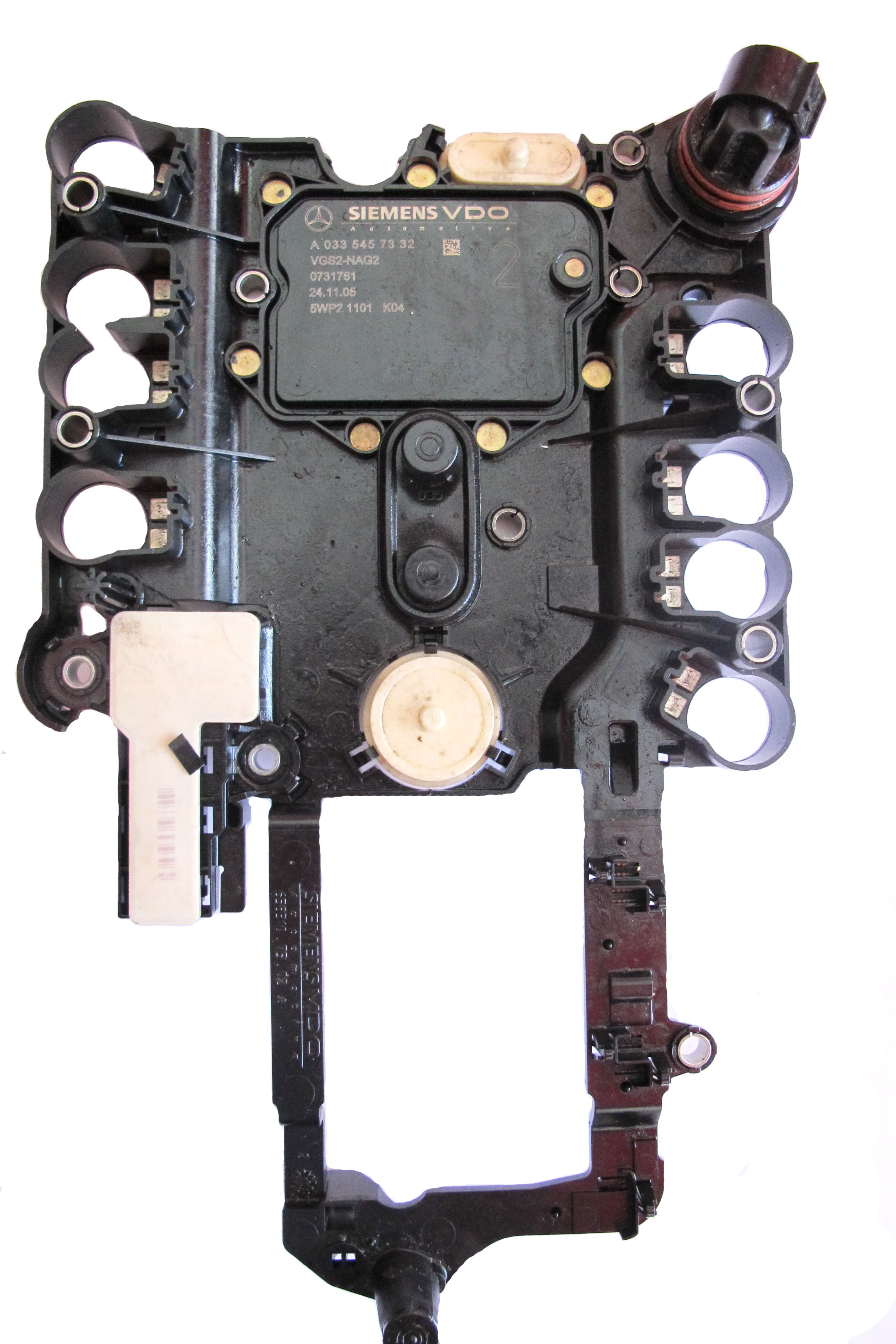
    Owners of this special function can renew 722.9 Electronic Transmission Control Unit and Intelligent Servo Modules.
    This function allows to reuse these control units in other cars.

    Click here for user manual  

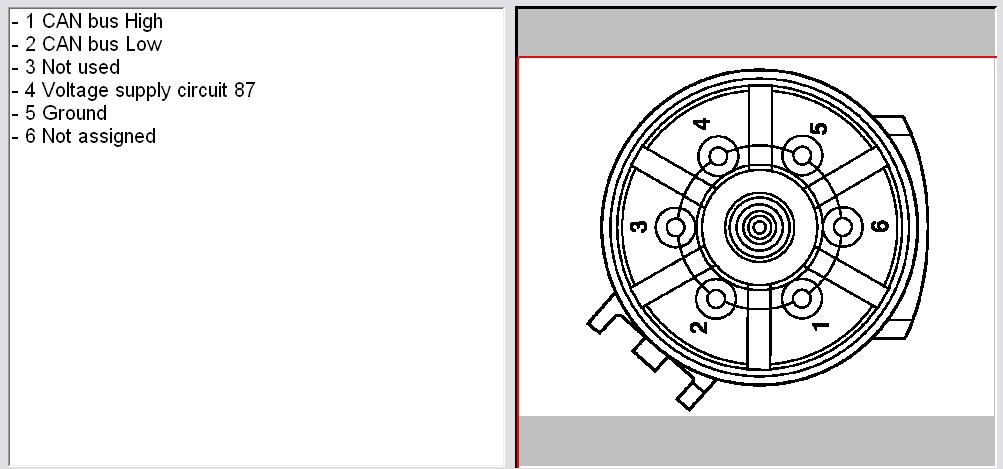
    7G pinout


    Supported Part Numbers for 7G ETC renew:

    033 545 6632
    033 545 6732
    033 545 7232
    033 545 7332
    003 446 0310


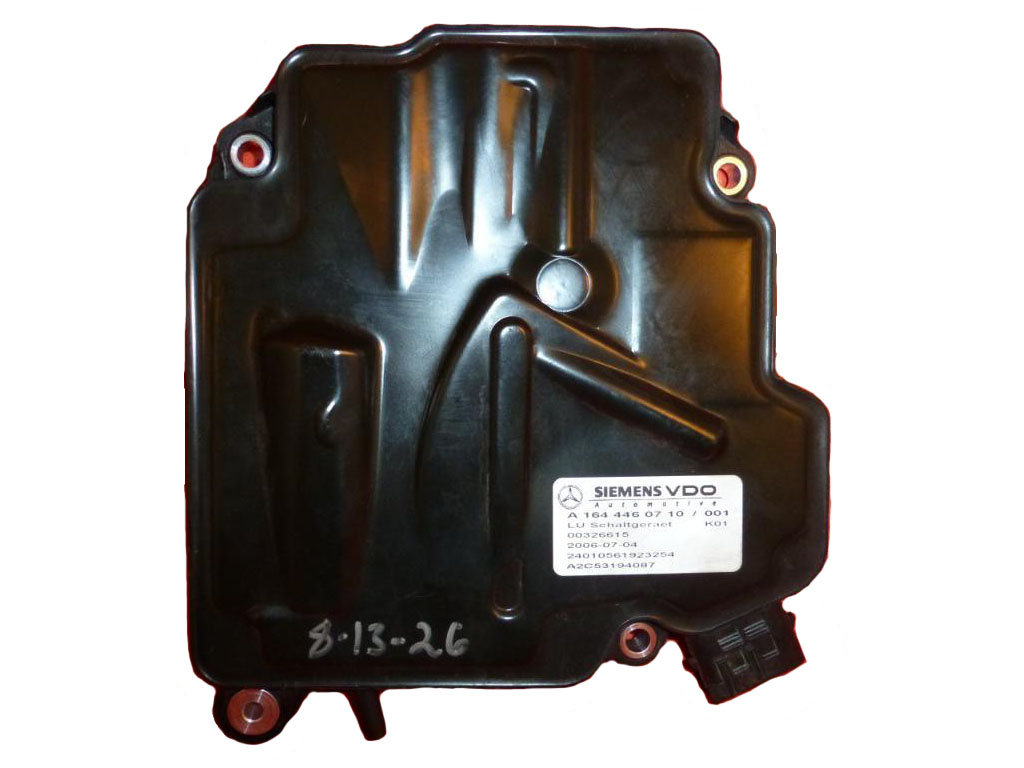
    Supported Part Numbers for ISM control units renew:

    All ISM units in W164, X164 and W251
    All ISM units in W221 and W216


    IMG 3178

    Intelligent servo model

    Dump tool

                    DUMP TOOL - MB 

    This application needs the EEPROM dump, which has been saved as a file, from the corresponding unit. After the dump file is loaded, some modifications will be made and you need to store the dump as a new file, which you can program with a special programmer into the device that the dump is from.
    The dump tool receives as input a dump file from the corresponding unit (input dump is loaded with the "Load dump" button). The dump file can be read either via OBDII but also with a programmer (especially for units where reading via OBDII is not possible). As output the dump tool displays some data extracted from the input file and/or makes some modifications to the input data. If modification were made (for some sub-functions there are no modifications made, only data are visualized) the user has to write the modified dump to desired file (with the "Save dump" button), and then this modified dump should be saved back to the device via OBDII or with a programmer.
    If data are read/written with a programmer the user must make sure that the proper byte order is used. Because most of the programmers are reading the data on 16bit words, the byte order in the dump depends on the used programmer - some programmers produce dumps starting with the least significant byte, and some produce dumps starting with the most significant byte. This means that for the same unit two different programmers can produce different dumps. For that purpose a button "Swap bytes" is provided. This buttons changes alternatively the byte order into the dump. So, if after loading the dump file into the dump tool data cannot be extracted or modified, please try to swap the bytes to get a correct result.

    AIR BAG

              AIR BAG - MERCEDES COMMANDER 

     Even when a small accident occurs, the Airbag control unit saves vehicle crash data (speed, brake pedal position, etc). This causes the Airbag lamp to stay ON all the time. If, after checking all parts of the Airbag system, everything is OK, the Airbag does not need to be exchanged with a new one. With this special function it is possible to read and write the EEPROM as well as clear the crash data of the following Airbag control units by OBDII:

     -Bosch Up to 1997
    - Bosch 1997-1998
    - Bosch 1998-2003
    - Bosch 2004-2009
    - Temic Up to 1994
    - Temic 1995-1997
    - Temic 1997-1999
    - Temic 1999-2002
    - Temic 2003-2009

    Additionally, owners of this special function can clear crash data of vehicles produced after year 2005 by OBD connection. You just have to connect to the Airbag by standard diagnostics and press the button "Clear Crash Data".
    It is also possible to unlock and lock to a vehicle, as well as erase operating hours in Airbag control units, which store this information.
    The Dump Tool special function contains a database of Airbag control units with their part numbers and it is possible to reset many control units by EEPROM Dump.


    SBC REPAIR

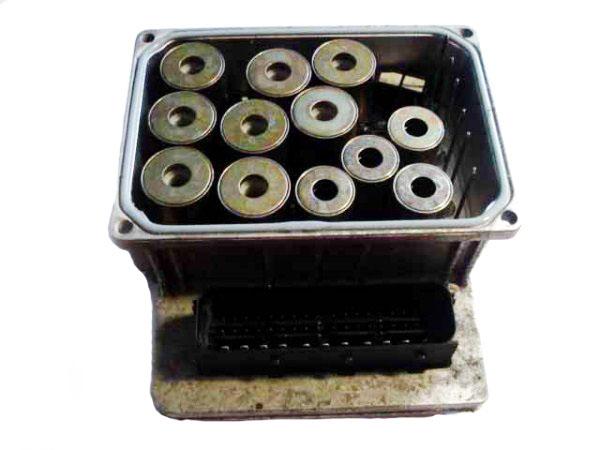
    Repair ALL Sensotronic Brake Control fault by OBD

    With the help of the special function "EEPROM Read/Write" it is possible to read/write completely the EEPROM of the Sensotronic Brake Control (SBC) control unit.
    You do not need an additional programmer to read the MCU from the SBC. After reading the EEPROM it is very easy to repair the dump with the help of the special function "Dump Tool". These functions require special license MN005.

    Works for the following vehicles : W211, W219, R230.

    Commander for MERCEDES  REPAIR SENSOTRONIC

     The Sensotronic Brake Control unit is a unique unit. Mercedes-Benz were one of the first vehicle manufacturers to employ a brake-by-wire system on a car (W211, R230). Called sensotronic (SBC), the system no longer relies on the driver to produce hydraulic pressure. The brake pedal is connected to the computer (ECU) by wire (brake-by-wire). The sensors on the brake pedal will inform the computer how the pedal is pressed, for example how far, how fast etc. The computer will then dissipate the required force to each wheel via modulators.
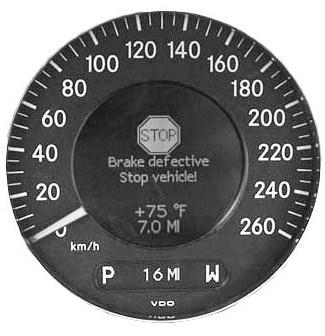
    The SBC module counts breaking cycles, after exceeding the value of 300000, an error message occurs. It is a kind of protection for the mechanical parts like the motor, inside the traction system hydraulic unit (A7/3). The contents of the message and the value of cycle limiter differs depending on the software version. It can be for example: "Brake defective stop vehicle" or "SBC defekt, sofort Händler aufsuchen".
    The Fault Code (DTC) that is stored is:
    C249F OPERATING TIME OF COMPONENT A7/3 IS EXCEEDED (SBC HYDRAULIC UNIT)

    The procedure to repair the SBC control unit completely by OBD is the following:

    1. Open special function "EEPROM Read/Write" and select "Sensotronic Brake Control".
    2. Press the button "Read EEPROM" and save the EEPROM dump to a file on your laptop or PC.
    3. Open the special function "Dump Tool" and load the saved EEPROM dump from the SBC.
    4. Press the button "Paramaters" and select the option tp repair the dump.
    5. Save the modified EEPROM dump to a new file.
    6. Open special function "EEPROM Read/Write" and select "Sensotronic Brake Control".
    7. Load the already repaired EEPROM dump from the SBC and press the button "Write EEPROM".

                  mb d 

    READ /WRITE EEPROM

                          READ / WRITE EEPROM  MB COMMANDER 

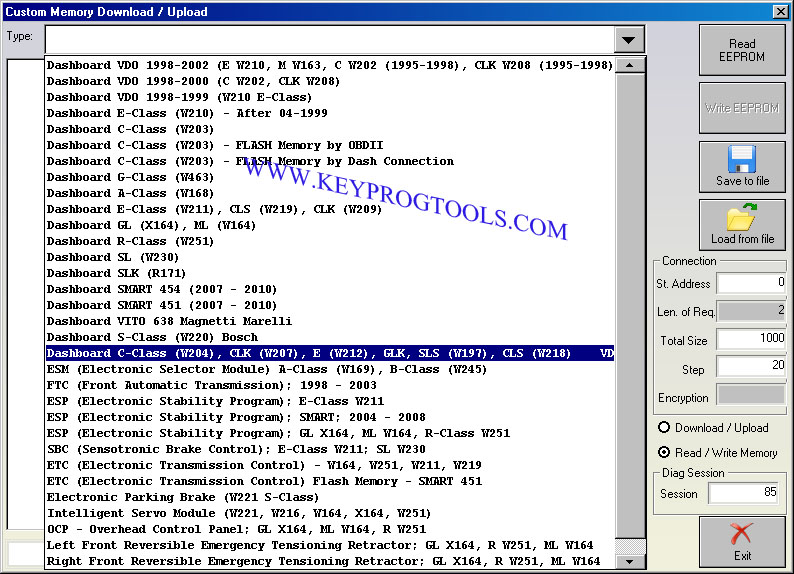
    Reading / Writing of the EEPROM is available from the tab "Special functions" -> "EEPROM read/write". For example if you want to repair the Sensotronic Brake Control unit you should first read the EEPROM, then renew it by using the Dump Tool special function and then write the EEPROM back.
    Using this function you can read/ write the EEPROM memory of different devices

    eeprom221

    MN016 odometer correction

            Odometer Correction (Special Function MN016)

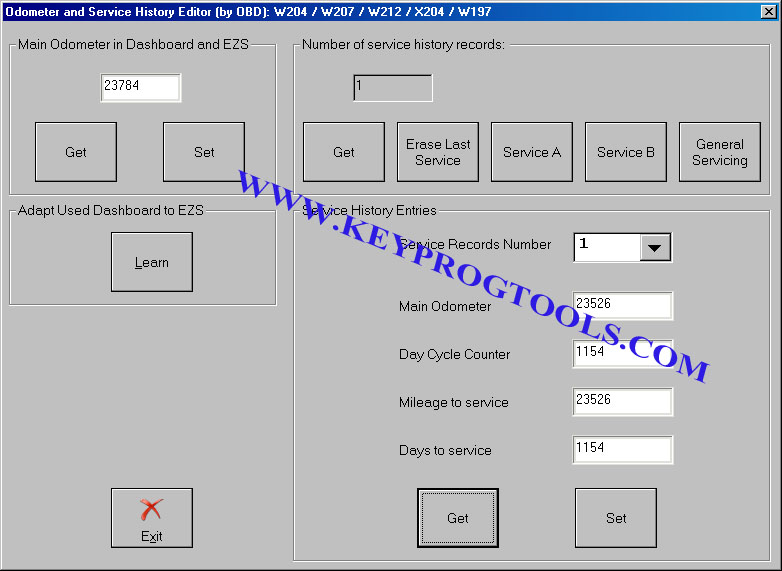
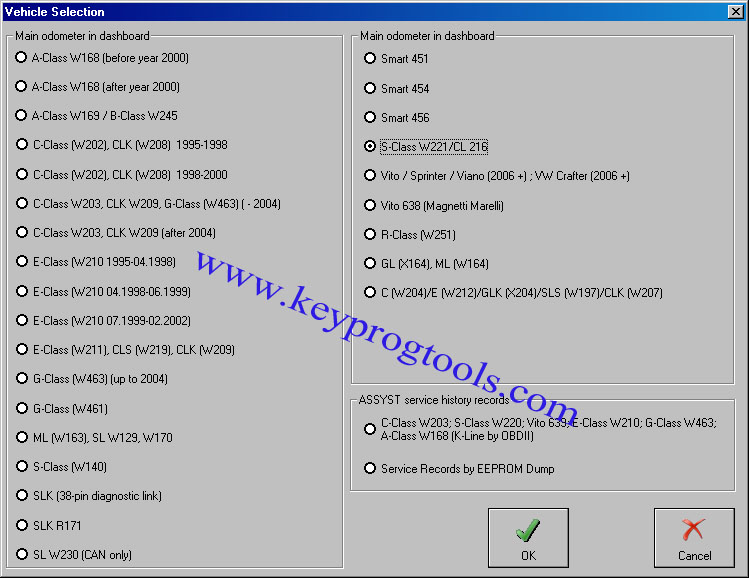
    Using MN016  you can make odometer correction in Dashboard in C-Class W204/GLK X204/E-Class W212/SLS W197/CLK W207 by OBD.
    Owners of this special function can also Read/Write the Full EEPROM of the Dashboard and install CAN Gateway Filter to block odometer synchronization between Dashboard and EZS.
    Also, onwers of this special function may adapt used Dashboards of C-Class W204/GLK X204/E-Class W212/SLS W197/CLK W207 to EZS; set days since initial registration in dashboard and make other adaptations like KM<->Miles, Clock synchronization, etc. by OBDII.
    Owners of this special function can also Read/Write the complete EEPROM of ZGW (CGW) control unit.

    MN016-500x500

     w204

    ODOMETER CORRECTION


           Odometer Correction  (Special function MN015 )

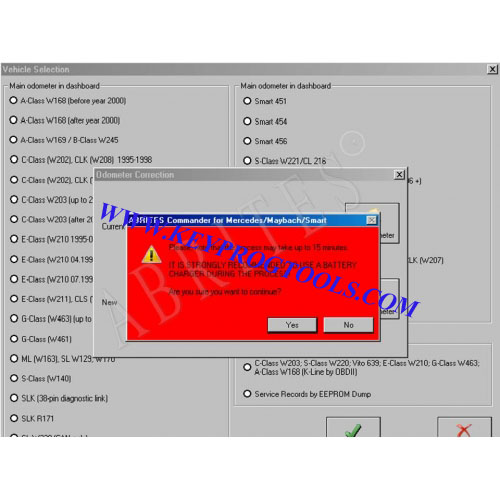
    By OBDII - Comprehensive odometer correction for W221 and W216 vehicles. The odometer is changed in the following units: CGW, EZS, Instrument Cluster and all other units, which store the odometer (like Tire Pressure Monitor and Adaptive Brake, for example) , Read/Write service history records in ZGW of W221 S-Class and W216 CL, Read/Write complete EEPROM and Flash of CGW (Central gateway) of W221 S-Class and W216 CL, Odometer correction in dashboard for Vito, Viano, Sprinter after 2006 year E-Class W211, CLS W219, GL X164, ML W164, R-Class W251, C-Class W203 and G-Class W463

    Odometer Correction for W204/W212/W207/W197/X204 requires special function MN016

    Owners of this special function can make odometer correction for the following vehicle models:

    W168 A-Class - Instrument Cluster and ASSYST
    W169 A-Class - Instrument Cluster, ASSYST and ASSYST Plus
    W245 B-Class - Instrument Cluster, ASSYST and ASSYST Plus
    CL W215 - ASSYST only
    CL W216 - Instrument Cluster, EZS, ASSYST, ASSYST Plus, TPM, BNS, EPB, Airbag, CDI-6, ESAP, ESAD
    C-Class W202 - Instrument Cluster and ASSYST
    C-Class W203 - Instrument Cluster, ASSYST, Airbag
    CLK W208 - Instrument Cluster and ASSYST
    CLK W209 - Instrument Cluster, ASSYST, Airbag
    G-Class W461 - Instrument Cluster and ASSYST
    G-Class W463 - Instrument Cluster, ASSYST, EZS
    GL X164 - Instrument Cluster, ASSYST and ASSYST Plus, EZS, TPM, Airbag, CDI
    E-Class W210 - Instrument Cluster and ASSYST
    E-Class W211 - Instrument Cluster, ASSYST and ASSYST Plus, EZS, TPM, Airbag, CDI
    M-Class W163 - Instrument Cluster and ASSYST
    M-Class W164 - Instrument Cluster, ASSYST and ASSYST Plus, EZS, TPM, Airbag, CDI
    W251 R-Class - Instrument Cluster, ASSYST and ASSYST Plus, EZS, TPM, Airbag, CDI
    SL W129 - Instrument Cluster and ASSYST
    SL W230 - Instrument Cluster, ASSYST, EZS (CAN vehicles only)
    SLK R170 - Instrument Cluster and ASSYST
    SLK R171 - Instrument Cluster and ASSYST
    S-Class W140 - Instrument Cluster and ASSYST
    S-Class W220 - ASSYST only
    S-Class W221 - Instrument Cluster, EZS, ASSYST, ASSYST Plus, TPM, BNS, EPB, Airbag, CDI-6, ESAP, ESAD
    Vito W638 - Instrument Cluster and ASSYST
    Vito W639 - Instrument Cluster and ASSYST
    Viano W639 - Instrument Cluster and ASSYST
    Sprinter W906 - Instrument Cluster and ASSYST

    odo221


    eeprom221

    central gateway CAN latest


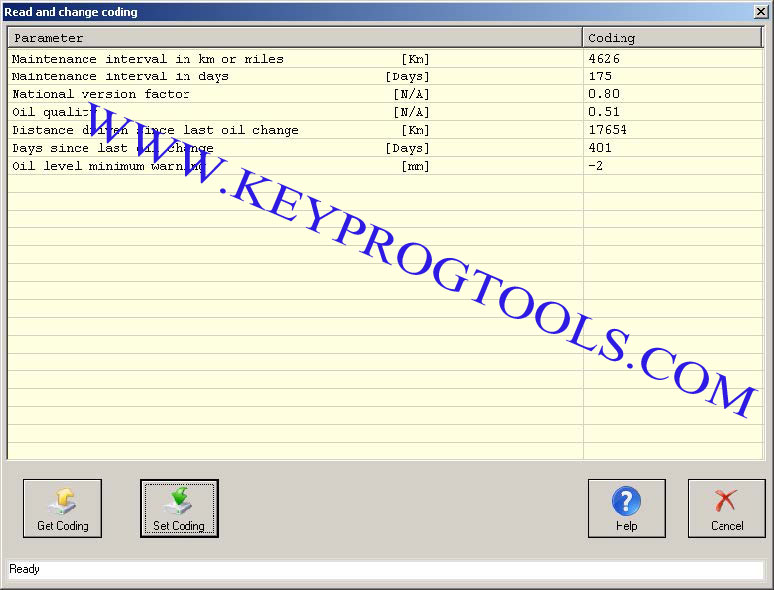
    It is very important to note that the instrument cluster of vehicles, that use K-Line as database, also stores the history records of the last 5 oil changes. Each record contains the mileage at which the oil was changed, the remaining mileage, the remaining days and the quality of the oil. If you wish to change these records you can do this by using the special function 'Service Records by EEPROM dump'. First, you must read the EEPROM of the instrument cluster by using the special function 'Custom memory read/write'. After that you must load the dump in the 'ASSYST service history records in instrument cluster' window (you have to choose the 'Odometer correction' special function) and it will show you the current oil change history records. You can change the data in the records, save the dump and then you can program the saved dump to the EEPROM of the instrument cluster.


    MB ADAPTATION

                  COMMANDER FOR MERCEDES 


                                ADAPTATIONS 

    With Mercedes Commander you can make various adaptations, for example the following screenshot shows Mercedes S-Class W221 ASSYST.


    ADAPTATION

    Please publish modules in offcanvas position.